Save YouTube videos to your computer, up to 8K.
97 of 100 free seats left
Up to 8K, original audio
The highest quality the video really has, up to 8K. The original soundtrack, never an auto-dub. MKV or MP4.
Age-restricted works
Signed in to YouTube in your browser? Age-restricted videos download too. Nothing stored, nothing sent to us.
Your line, your disk
The helper runs in your browser on your connection. We never see or store the video.
How it works
- 1Enter your email. Open the link we send you on your computer.
- 2Add the one-time helper to Chrome, Brave or Edge. About a minute.
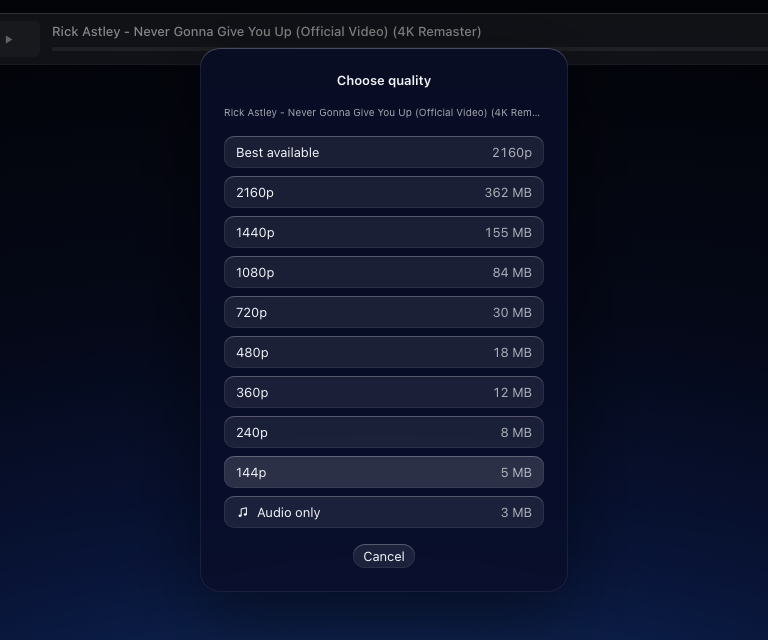
- 3Paste a YouTube link, pick the quality, and it saves to your disk.
What it did today
- 8K HDR, 1.1 GB.
- 4K, age-restricted.
- Shorts.
All on this page, in Brave and Chrome. Checked by hand on 5 November.
Questions
Is it free?
Yes. A free seat is 5 downloads and 2 GB in total, with no expiry. No card, no account: just your email, so we can send you the link.
What do I need?
Chrome, Brave or Edge on a computer, plus a one-time helper you add to that browser: download a zip and load it, about a minute. Phones and tablets are not supported yet.
Ads or tracking?
None. No ads, no tracking cookies, no third-party scripts. We count page visits on our own server without cookies and without keeping your address.
Two ways to own it. Launch prices.
Both go up once the first hundred are in. Whatever you pay now is what you keep paying, or never pay again.
Free seat
€0
- 5 downloads, 2 GB total, no expiry
- Up to 8K, original audio, MKV
- No card, no account
- 100 seats, then a waitlist
Web
€4.99 / month
- Nothing to install. Opens in any browser, on any device
- Phone, tablet, work laptop: same seat everywhere
- 25 GB a month, unlimited downloads
- Downloads run in your browser, on your line
- Launch price, locked for as long as you stay
Checkout opens this week. Grab a free seat and you'll hear first.
Mac app · pre-order
€9 once
- Yours forever. No subscription, no quota
- Downloads run on your Mac, at your line's full speed
- Playlists, scheduling, presets, sign-in for members-only videos
- Every update included
- Launch price, going to €19 after the first hundred
Pre-orders open this week.
The app works today. Pre-orders pay for Apple's signing and notarization so it installs without warnings. You get the download by email the day it ships, and a full refund any time before.
Web: a free taste of 5 downloads. Mac: playlists, presets, no helper. Same engine, same 8K.
Also coming · Mac app
The same engine, native on your Mac.
No quota. Playlists, scheduling, presets, and sign-in for members-only videos. €9 once at launch, going to €19 after the first hundred. Yours forever.
Pre-orders open soon. Your free seat puts you first in line for the link.
Get a free seat
Keep it as an app
TubeDL is a web app plus a small browser helper. Once you have a seat, you can pin it like a native one.
Chrome · Brave · Edge
Click Install in the address bar, or Menu → Install TubeDL.
Safari on Mac
File → Add to Dock.
iPhone · iPad
Share → Add to Home Screen.
Safari and iOS show approximate progress while a download runs; everything else is the same.